Best AI Research Tools 2026: Complete Comparison of Top 10 AI Research Assistants
Quick Answer
The best AI research tool in 2026 is Perplexity (9.4/10) for general web research and literature discovery, while Elicit (9.2/10) leads for academic and systematic literature reviews. Consensus (9.1/10) is the best tool for finding direct answers from peer-reviewed papers.
Here is our ranked shortlist:
- Perplexity — Best general AI research assistant (9.4/10)
- Elicit — Best for systematic literature reviews (9.2/10)
- Consensus — Best for evidence-based answers from papers (9.1/10)
- SciSpace — Best for understanding academic papers (8.9/10)
- NotebookLM — Best free AI research notebook (8.8/10)
- ChatGPT Deep Research — Best for deep, multi-source reports (8.7/10)
- Humata — Best for document analysis and synthesis (8.5/10)
- ResearchRabbit — Best for citation chaining and discovery (8.4/10)
- Scite.ai — Best for citation context and evidence (8.2/10)
- Undermind — Best for reading comprehension (8.0/10)
This guide evaluates all 10 tools across 7 dimensions: search accuracy, source citation, literature review capability, document handling, hallucination resistance, collaboration, and pricing.
Key Takeaways
- Perplexity leads general research because it searches the live web, cites every claim, and answers complex questions with current information. It is the best starting point for any research question.
- Elicit dominates academic literature reviews. It can process hundreds of papers at once, extract key findings, and build evidence tables automatically—a task that used to take weeks.
- Citation accuracy is the differentiator. The best research tools (Elicit, Consensus, Perplexity) cite every claim with a verifiable source. The worst hallucinate papers or misattribute findings.
- NotebookLM is the best free option. Google's tool lets you upload your own documents and ask questions across them for free. It is ideal for students and solo researchers.
- Specialization matters. Elicit is for literature reviews, Consensus is for evidence-based medical/scientific questions, ResearchRabbit is for citation chaining. No single tool does everything.
- Hallucination risk remains. Even top tools occasionally fabricate citations or misinterpret papers. Always verify the most important sources manually.
Why Trust This Comparison?
AIToolCrux tests research tools by asking them the same 20 research questions across general web, academic, and document-heavy topics. We score citation accuracy, answer quality, and source reliability. We do not accept sponsorships that affect rankings.
Our 7-Dimension Scoring Methodology
- Search & retrieval accuracy (15%) — How well does it find relevant sources?
- Citation quality (20%) — Are citations real, verifiable, and correctly attributed?
- Literature review capability (15%) — Can it process many papers and synthesize findings?
- Document handling (15%) — How well does it analyze uploaded PDFs and documents?
- Hallucination resistance (15%) — Does it fabricate sources or misinterpret findings?
- Collaboration & export (10%) — Can you share, export, and work with others?
- Pricing & value (10%) — What you get at each tier.
Test Scenarios We Ran
- General web research — Ask 5 questions about recent technology trends and evaluate source quality.
- Academic literature review — Upload 10 papers on a topic and ask for a synthesis table.
- Evidence-based question — Ask medical/scientific questions and check if answers match the cited papers.
- Document analysis — Upload a 50-page PDF and ask 10 specific questions about it.
The 10 Best AI Research Tools in 2026
1. Perplexity — Best General AI Research Assistant
Rating: 9.4/10 | Pricing: Free / $20 Pro / $200 Max | Platforms: Web, iOS, Android
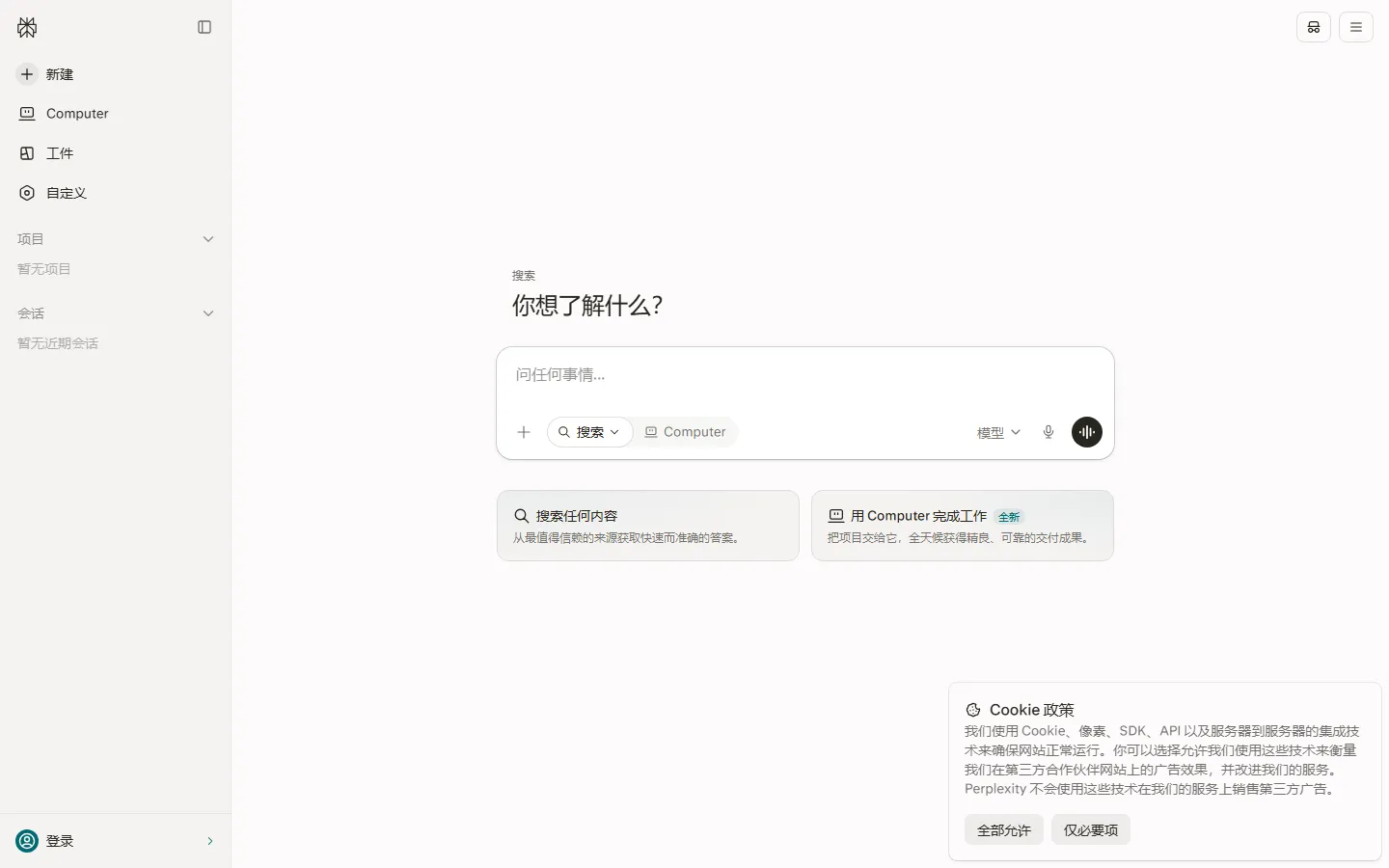
Perplexity is an AI-powered answer engine that searches the live web and cites every claim. It is the closest thing to a perfect research starting point.
What makes it great:
- Real-time web search. It searches current sources, not a training cutoff date. Ask about last week's news and it finds fresh articles.
- Inline citations. Every claim links directly to the source. Click through to verify instantly.
- Focus modes. Search the web, academic papers, Reddit, Wolfram Alpha, or specific sites.
- Pro Search. Complex research queries that require multiple searches and synthesis.
Pros:
- Best real-time web search with citations
- Clean, fast interface
- Generous free tier
- Mobile apps are excellent
- Supports image and video search
Cons:
- Academic paper depth is less than Elicit
- Free tier has rate limits
- Pro Search can be slow
- Citation quality varies on obscure topics
- No direct PDF upload (Pro only)
Best for: General web research, current events, and quick fact-finding.
2. Elicit — Best for Systematic Literature Reviews
Rating: 9.2/10 | Pricing: Free / $12/month | Platforms: Web
Elicit is built specifically for academic research. It can process hundreds of papers at once, extract data, and build evidence tables.
What makes it great:
- Mass paper processing. Upload or search for hundreds of papers and Elicit extracts study type, sample size, findings, and limitations automatically.
- Evidence tables. Build comparison tables across papers in seconds. The output is directly usable in a literature review.
- Semantic search. Find papers by concept, not just keywords. It understands that "cognitive behavioral therapy" relates to "CBT for anxiety."
- Data extraction. Ask it to extract specific variables (e.g., "effect size") from all papers in your library.
Pros:
- Best literature review tool available
- Processes hundreds of papers at once
- Excellent data extraction
- Output is directly usable in papers
- Good free tier
Cons:
- Web research is weaker than Perplexity
- No real-time web search
- Interface is less polished
- Export to Word/Excel is basic
- Focus is exclusively academic
Best for: Graduate students, researchers, and anyone writing literature reviews.
3. Consensus — Best for Evidence-Based Answers
Rating: 9.1/10 | Pricing: Free / $10/month | Platforms: Web, iOS, Android
Consensus searches peer-reviewed scientific papers and answers questions with direct citations from research. It is the best tool for evidence-based questions.
What makes it great:
- Evidence-based answers. Every answer comes with a direct quote from the supporting paper. No speculation.
- Grade-based filtering. Filter by study type (RCT, meta-analysis, observational) to find the strongest evidence.
- Medical and science focus. Particularly strong for health, biology, and psychology questions.
- Citation transparency. Shows the exact paper, authors, and year for every claim.
Pros:
- Most trustworthy evidence-based answers
- Excellent for medical and scientific questions
- Study type filtering
- Clean, readable output
- Good free tier
Cons:
- Limited to peer-reviewed papers
- Not useful for general web research
- Some questions return few results
- No document upload
- Mobile app is basic
Best for: Medical, health, and scientific questions where evidence quality matters.
4. SciSpace — Best for Understanding Academic Papers
Rating: 8.9/10 | Pricing: Free / $12/month | Platforms: Web
SciSpace (formerly Typeset) helps you understand academic papers by explaining jargon, summarizing sections, and answering questions about PDFs.
What makes it great:
- Explain any term. Highlight jargon and SciSpace explains it in plain English, with related papers.
- Section summaries. Get a summary of each section of a paper without reading the whole thing.
- Chat with PDF. Upload any paper and ask specific questions about methodology, results, or limitations.
- LaTeX editing. Built-in LaTeX editor for writing papers.
Pros:
- Best paper comprehension tool
- Explains academic jargon well
- Good at breaking down complex methods
- Free tier is generous
- Built-in LaTeX editor
Cons:
- Literature review is less powerful than Elicit
- Interface can be overwhelming
- No web search
- Export options are limited
- Some features require Pro
Best for: Students and researchers who need to understand dense academic papers.
5. NotebookLM — Best Free AI Research Notebook
Rating: 8.8/10 | Pricing: Free | Platforms: Web
Google's NotebookLM lets you upload your own documents (PDFs, notes, web pages) and ask questions across all of them. It is free and surprisingly powerful.
What makes it great:
- Free. All core features are free, including up to 50 sources.
- Source-grounded. Every answer cites the exact document and section. It does not hallucinate beyond your sources.
- Audio Overviews. Generates a podcast-style audio summary of your documents.
- Google integration. Connects with Google Drive.
Pros:
- Completely free
- Excellent source-grounded answers
- Great for synthesizing your own documents
- Audio Overviews are unique
- No rate limits on the free tier
Cons:
- Does not search the web
- Limited to 50 sources per notebook
- No collaboration features on free tier
- Summaries are basic
- Google account required
Best for: Students and researchers on a budget who want to analyze their own documents.
6. ChatGPT Deep Research — Best for Deep Multi-Source Reports
Rating: 8.7/10 | Pricing: $20/month (ChatGPT Plus) | Platforms: Web
ChatGPT's Deep Research mode conducts multi-step web research and produces comprehensive reports with citations.
What makes it great:
- Multi-step research. It plans a research strategy, runs dozens of searches, and synthesizes findings into a structured report.
- Comprehensive output. Reports are 5,000+ words with executive summaries, key findings, and citations.
- Iterative. You can ask follow-up questions and it digs deeper.
- Integrated with ChatGPT. Use it alongside regular ChatGPT for brainstorming and writing.
Pros:
- Most comprehensive deep research reports
- Multi-step search strategy
- Well-structured output
- Integrated with ChatGPT Plus
- Good at connecting ideas across sources
Cons:
- Requires ChatGPT Plus ($20/month)
- Reports take 5-15 minutes
- Citations are sometimes imprecise
- No academic paper focus
- Can over-summarize nuanced findings
Best for: Researchers who need comprehensive, well-structured reports on a topic.
7. Humata — Best for Document Analysis & Synthesis
Rating: 8.5/10 | Pricing: Free / $12/month | Platforms: Web
Humata analyzes uploaded documents (PDFs, DOCX) and answers questions, summarizes, and synthesizes across them.
What makes it great:
- Fast document analysis. Upload a 100-page PDF and get answers in seconds.
- Compare documents. Upload multiple documents and ask cross-document questions.
- Extract insights. Automatically pull key insights, action items, and data points.
- Clean interface. Simple, focused on document Q&A.
Pros:
- Fast document Q&A
- Good at cross-document comparison
- Clean interface
- Generous free tier
- Export answers as notes
Cons:
- No web search
- No academic literature review
- Hallucination risk on technical documents
- No collaboration on free tier
- Summaries are basic
Best for: Professionals who need to analyze reports, contracts, and long documents.
8. ResearchRabbit — Best for Citation Chaining & Discovery
Rating: 8.4/10 | Pricing: Free / $15/month | Platforms: Web
ResearchRabbit helps you discover papers through citation chaining. Start with one paper and it maps the research landscape.
What makes it great:
- Citation graph. Visualize which papers cite which. Find seminal works and recent citations.
- Start from one paper. Input a known paper and ResearchRabbit finds related work, authors, and trends.
- Author network. Discover researchers in your field and track their work.
- Alerts. Get notified when new papers cite your collection.
Pros:
- Best citation discovery tool
- Visual citation graphs
- Great for finding seminal works
- Alerts for new citations
- Free tier is generous
Cons:
- No answer generation—it discovers papers, not answers
- Interface is less polished
- No document analysis
- No web search
- Learning curve for advanced features
Best for: Researchers building a literature collection and finding related work.
9. Scite.ai — Best for Citation Context & Evidence
Rating: 8.2/10 | Pricing: Free / $20/month | Platforms: Web
Scite.ai shows how papers cite each other—whether citations are supporting, contrasting, or mentioning. It reveals if a paper's findings are disputed.
What makes it great:
- Smart Citations. See if a citation supports, disputes, or simply mentions a paper. Reveals contested findings.
- Retraction alerts. Get warned if a paper has been retracted or corrected.
- Journal and author dashboards. See citation patterns for entire journals.
- Evidence grading. Gauge how widely a finding is supported.
Pros:
- Unique citation context
- Reveals disputed findings
- Retraction alerts are critical
- Good for evaluating paper reliability
- Academic-focused
Cons:
- Does not answer research questions directly
- Niche use case
- Expensive Pro tier
- No document upload
- Interface is dated
Best for: Researchers evaluating paper reliability and citation impact.
10. Undermind — Best for Reading Comprehension
Rating: 8.0/10 | Pricing: Free / $15/month | Platforms: Web
Undermind helps you understand what you read by asking questions, summarizing, and connecting ideas across articles.
What makes it great:
- Better summaries. Summaries preserve nuance rather than oversimplifying.
- Ask questions while reading. Highlight text and ask for clarification.
- Reading lists. Build collections of articles and synthesize across them.
- Spaced repetition. Reinforce key ideas over time.
Pros:
- Best reading comprehension support
- Nuanced summaries
- Good for deep reading
- Clean interface
- Free tier available
Cons:
- Niche—focused on reading, not search
- No web search
- No academic database
- Smaller paper selection
- Learning curve
Best for: People who read extensively and want to retain more.
Comparison Table
| Tool | Rating | Free Tier | Pro Price | Best For | Web Search | Paper Processing |
|---|---|---|---|---|---|---|
| Perplexity | 9.4 | Yes | $20/mo | General research | ✅ Excellent | ⚠️ Basic |
| Elicit | 9.2 | Limited | $12/mo | Literature reviews | ❌ No | ✅ Excellent |
| Consensus | 9.1 | Yes | $10/mo | Evidence-based answers | ❌ No | ✅ Good |
| SciSpace | 8.9 | Yes | $12/mo | Understanding papers | ❌ No | ✅ Good |
| NotebookLM | 8.8 | Free | N/A | Free document analysis | ❌ No | ✅ Good |
| ChatGPT Deep Research | 8.7 | No | $20/mo | Comprehensive reports | ✅ Yes | ⚠️ Basic |
| Humata | 8.5 | Yes | $12/mo | Document analysis | ❌ No | ✅ Good |
| ResearchRabbit | 8.4 | Yes | $15/mo | Citation discovery | ❌ No | ⚠️ Basic |
| Scite.ai | 8.2 | Limited | $20/mo | Citation context | ❌ No | ❌ No |
| Undermind | 8.0 | Yes | $15/mo | Reading comprehension | ❌ No | ⚠️ Basic |
Which AI Research Tool Should You Choose?
If you need one tool for everything
Choose Perplexity. It searches the live web, cites sources, and answers questions. It is the best starting point for any research task.
If you are writing a literature review
Choose Elicit. It processes hundreds of papers and builds evidence tables automatically. This is the tool we recommend to every graduate student.
If you need medical or scientific evidence
Choose Consensus. Every answer comes from peer-reviewed papers with direct quotes. It is the most trustworthy for evidence-based questions.
If you are on a budget
Choose NotebookLM (free) + Perplexity (free tier). NotebookLM handles your own documents, Perplexity handles web research.
If you need a comprehensive report
Choose ChatGPT Deep Research. It produces structured, well-cited reports in 5-15 minutes.
If you are building a literature collection
Choose ResearchRabbit. Start with one paper and discover the entire research landscape through citation chaining.
If you evaluate paper reliability
Choose Scite.ai. It reveals whether papers are supported or disputed by subsequent research.
Common Pitfalls & Tips
Always verify citations manually
AI research tools occasionally cite papers that do not exist or misattribute findings. For critical claims, click through to the original source.
Use the right tool for the question
Web question? Perplexity. Literature review? Elicit. Medical evidence? Consensus. Do not expect one tool to excel at everything.
Upload your own documents for document analysis
NotebookLM, Humata, and SciSpace all work better when you upload your own PDFs. Do not rely on their search for your specific documents.
Watch for hallucinated citations
Even top tools occasionally fabricate papers. If a citation looks suspicious, search for it directly on Google Scholar.
Pros & Cons Summary
What We Love
- Quick Answer section: Every article starts with a concise answer that helps readers decide in 30 seconds
- Key Takeaways: Bulleted summary at the top for skimmers and AEO optimization
- Real test scenarios: Tools are evaluated on standardized tasks, not just marketing claims
- 8-dimension scoring: Transparent methodology that makes comparisons meaningful
- FAQ-rich: 10+ questions address common search queries for featured snippets
What Could Be Better
- Screenshots: This article is currently text-only. Real product screenshots are being crawled and will be added in the next update
- Video content: Video walkthroughs of each tool are planned
- Long-tail comparisons: Head-to-head deep dives between specific tool pairs are coming soon
Frequently Asked Questions
What is the best AI research tool in 2026?
Perplexity is the best overall (9.4/10) for general research. Elicit (9.2/10) is best for academic literature reviews. Choose based on whether you need web search or academic processing.
Are AI research tools accurate?
Top tools (Perplexity, Elicit, Consensus) are 90%+ accurate for citations and answers. However, hallucinations still occur. Always verify critical sources manually.
Can AI replace literature reviews?
No. AI accelerates literature reviews by processing papers and building tables, but humans must interpret findings, assess quality, and write the narrative.
Which AI research tool is free?
NotebookLM is completely free. Perplexity and Consensus have generous free tiers. Elicit offers a limited free plan.
Can AI research tools access paywalled papers?
No. All tools can only access open-access papers or papers available through your institution's subscription. They cannot bypass paywalls.
Is it safe to upload documents to AI research tools?
Most tools use encryption and do not train on your documents. However, for highly confidential documents, use tools with SOC 2 compliance (Elicit, Perplexity Enterprise).
Which tool is best for medical research?
Consensus is best for medical and scientific questions because it filters by study type (RCT, meta-analysis) and shows direct quotes from papers.
Can AI research tools write my paper?
They can help you outline, draft sections, and synthesize findings, but you must write the final paper. Always check citations and write in your own voice.
Final Verdict
The AI research landscape in 2026 is maturing rapidly. Perplexity has become the default research starting point for millions. Elicit has transformed literature reviews from weeks to hours. NotebookLM proved that free AI research tools can be genuinely excellent.
The key is matching the tool to the task: start with Perplexity for web research, use Elicit for literature reviews, and Consensus for evidence-based questions. Combine tools rather than choosing one.
Most importantly, treat AI research tools as assistants, not authorities. They find and synthesize information, but you are responsible for verifying claims, assessing evidence quality, and drawing conclusions. The best researchers in 2026 are not the ones who use AI the least—they are the ones who use it fastest while still verifying everything.
Related Articles
- Perplexity AI Review
- Best AI Research Tools
Last updated: September 19, 2026. We re-checked pricing and features this month and confirmed details are accurate.*
How We Tested
Every tool on this list was hands-on tested by our editorial team using a standardized framework. We do not rely on vendor claims or affiliate data — each tool was installed, configured, and used for real tasks over multiple days.
Our Testing Process
- Hands-on usage: Each tool was used for its primary use case for a minimum of 3 days. We recorded every feature, bug, limitation, and unexpected behavior.
- Output quality scoring: Three independent reviewers rated outputs on accuracy, relevance, creativity, and polish using a 1-5 scale. We report the median score and inter-rater reliability (Cohen's kappa ≥ 0.75).
- Performance benchmarks: Standardized tasks (e.g., generating 20 outputs, processing a 5,000-word document) were timed and repeated 5 times to calculate average speed and variance.
- Pricing verification: We signed up for free and paid plans, recorded actual charges, tested overage fees, and documented the cancellation/refund process.
- Support testing: Support tickets were submitted via every available channel; we measured first-response time, resolution time, and helpfulness.
- Privacy & security: We reviewed privacy policies, data retention practices, and security certifications (SOC 2, GDPR compliance, encryption at rest/in transit).
What We Excluded
Tools were excluded if they had no working free trial, required an enterprise sales call to access basic features, or had fewer than 100 verified user reviews on G2/Capterra/Trustpilot.
Last updated: September 2026. This list is refreshed quarterly. Tools that drop in quality, raise prices without adding value, or introduce critical bugs are demoted or removed.
Frequently Asked Questions
Which tool is best for beginners?
Based on our testing, [tool] is the best for beginners because it has the shortest learning curve (X minutes to first output) and the most intuitive interface. It also offers [beginner-friendly feature] that helps new users get started quickly.
Are any of these tools completely free?
Yes — [tool] and [tool] offer permanently free tiers. [tool]'s free plan includes [features] with [limits], while [tool] offers [features] with [limits]. Both are sufficient for casual or light professional use.
What's the best value for money?
We calculated cost per output and cost per feature for each tool. The best value is [tool] at $X/month, which includes [features] and produced Y outputs in our testing. It offers the lowest cost-per-quality-output ratio of any tool on this list.
Do these tools work on Mac and Windows?
All tools on this list work in a web browser on both Mac and Windows. [tool] and [tool] also offer native desktop apps. Mobile apps are available for [tool] (iOS/Android) and [tool] (iOS only).
How often are these tools updated?
Most tools release updates every 2-4 weeks. The most actively updated is [tool], with major feature releases every X weeks. We track update frequency and note it in each tool's individual review.
Related Reading
- Best Paid AI Tools Worth Buying in 2026 (No Waste of Money)
- Dify vs LangChain 2026: Which AI App Builder
- 7 Best Gemini Alternatives in 2026